> ## Documentation Index
> Fetch the complete documentation index at: https://docs.ctrl.finance/llms.txt
> Use this file to discover all available pages before exploring further.
# Trade stocks
> Discover and trade official Robinhood Stock Tokens on Ctrl.
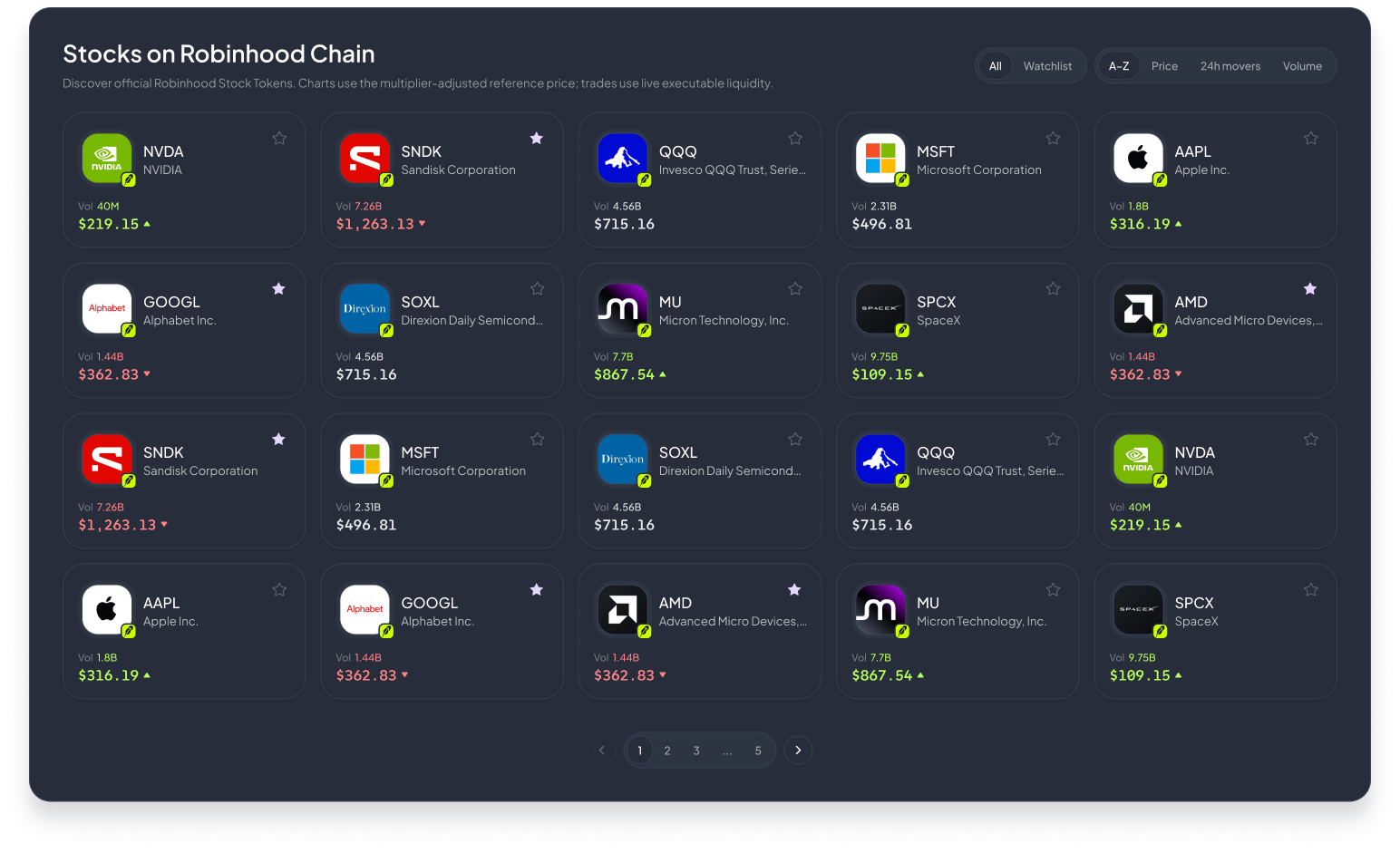 Visit [Stocks on Ctrl](https://app.ctrl.finance/launchpad?section=stocks). You can browse the catalog before connecting a wallet.
Select **Connect Wallet**, choose a supported wallet, and approve the connection request. When prompted, switch to Robinhood Chain and confirm that the intended account is active.
Search by company or ticker, switch between **All** and **Watchlist**, or sort by **A–Z**, **Price**, **24h movers**, or **Volume**. Use the star on a card to keep a market in your watchlist.
Visit [Stocks on Ctrl](https://app.ctrl.finance/launchpad?section=stocks). You can browse the catalog before connecting a wallet.
Select **Connect Wallet**, choose a supported wallet, and approve the connection request. When prompted, switch to Robinhood Chain and confirm that the intended account is active.
Search by company or ticker, switch between **All** and **Watchlist**, or sort by **A–Z**, **Price**, **24h movers**, or **Volume**. Use the star on a card to keep a market in your watchlist.
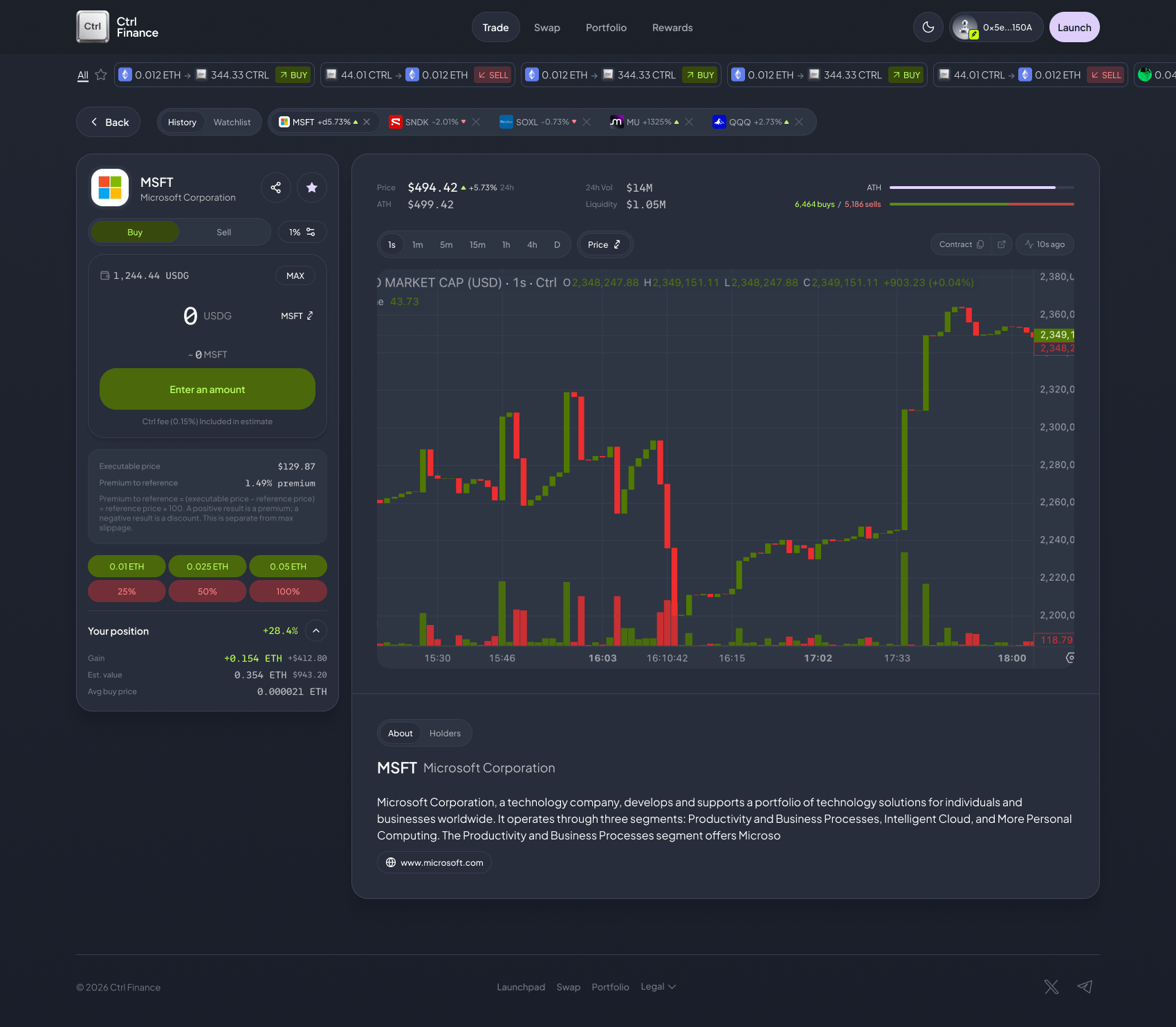 The reference price is context not a trade promise. Use the trading panel to request a quote from live executable liquidity, then compare the asset, input, expected output, minimum received, route, and fees.
* (Default, fast) Direct Uniswap V3 transaction, user pays gas, no filler wait.
* (Gasless) UniswapX filler order, filler pays gas, but execution may take longer or expire unfilled.
Approve the trade in your wallet, and wait for a successful Robinhood Chain receipt.
Open [Portfolio](https://app.ctrl.finance/portfolio) to follow the connected wallet's balances and positions, then return to the stock market when you are ready for another action.
Robinhood describes Stock Tokens as tokenized debt securities linked to underlying assets. They carry issuer, market, smart-contract, liquidity, and jurisdictional risks, and availability may vary. Reference prices are not executable quotes. This documentation is not investment advice.
Ctrl does not charge any extra fee.
## Explore the rest of Ctrl
Choose an image, a name and a symbol metadata, review the launch, and submit it onchain!
Request a route, review the execution details, and swap from the connected wallet.
Follow wallet balances, positions, and portfolio history in one place.
Review creator, referral, and graduation balances and claim eligible rewards.
Want the bigger picture? Read [What is Ctrl?](/untitled-page-3) to see how stock trading fits the super app vision.
The reference price is context not a trade promise. Use the trading panel to request a quote from live executable liquidity, then compare the asset, input, expected output, minimum received, route, and fees.
* (Default, fast) Direct Uniswap V3 transaction, user pays gas, no filler wait.
* (Gasless) UniswapX filler order, filler pays gas, but execution may take longer or expire unfilled.
Approve the trade in your wallet, and wait for a successful Robinhood Chain receipt.
Open [Portfolio](https://app.ctrl.finance/portfolio) to follow the connected wallet's balances and positions, then return to the stock market when you are ready for another action.
Robinhood describes Stock Tokens as tokenized debt securities linked to underlying assets. They carry issuer, market, smart-contract, liquidity, and jurisdictional risks, and availability may vary. Reference prices are not executable quotes. This documentation is not investment advice.
Ctrl does not charge any extra fee.
## Explore the rest of Ctrl
Choose an image, a name and a symbol metadata, review the launch, and submit it onchain!
Request a route, review the execution details, and swap from the connected wallet.
Follow wallet balances, positions, and portfolio history in one place.
Review creator, referral, and graduation balances and claim eligible rewards.
Want the bigger picture? Read [What is Ctrl?](/untitled-page-3) to see how stock trading fits the super app vision.